For share traders

Don't miss the headline that moves your trade.

You can't watch a dozen news sites at once. NewsLookup pulls them into one live feed, scores every headline positive, negative or neutral, and shows you where the mood is turning — on your own desktop.

Runs on your PC · no account · no API key
NewsLookup
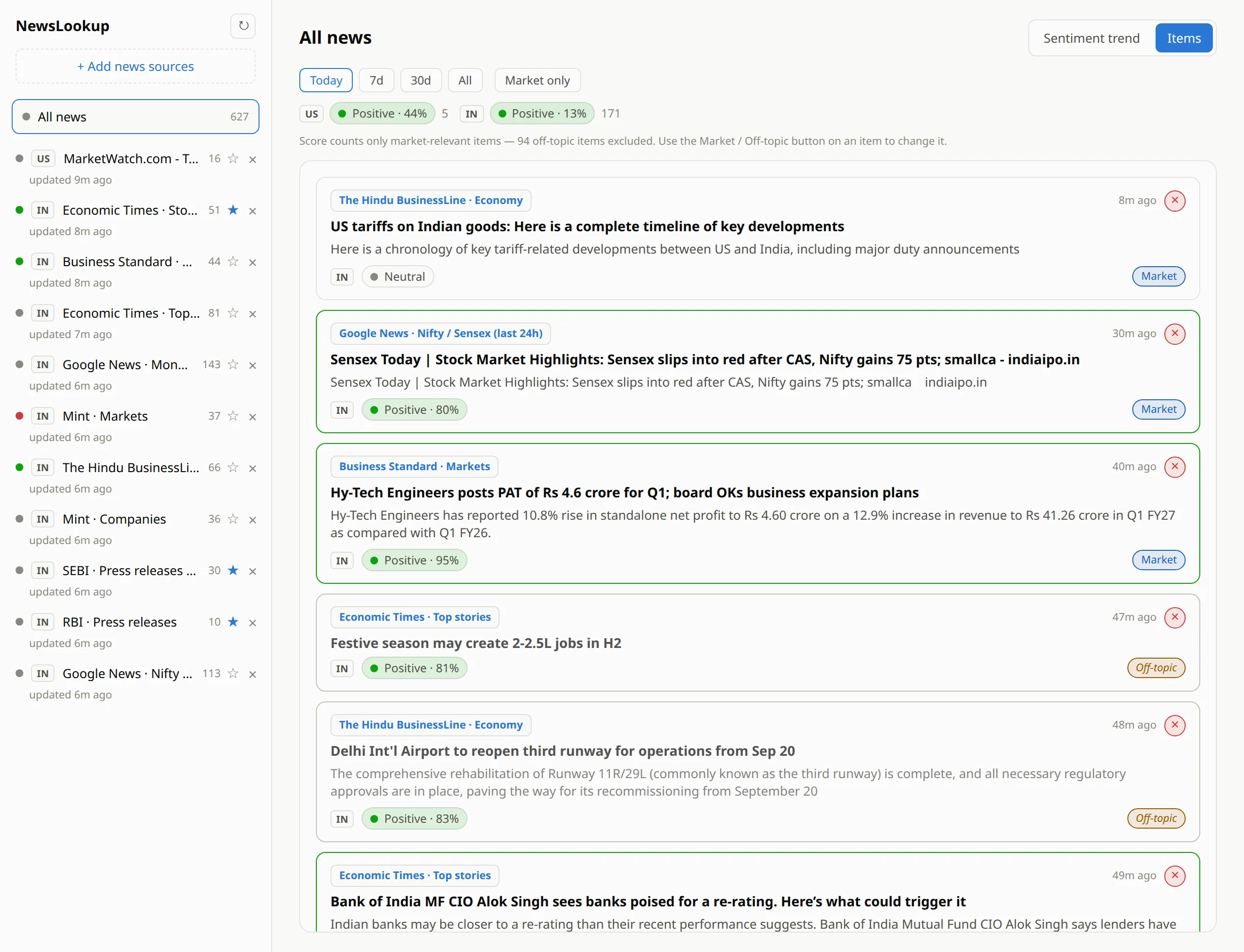
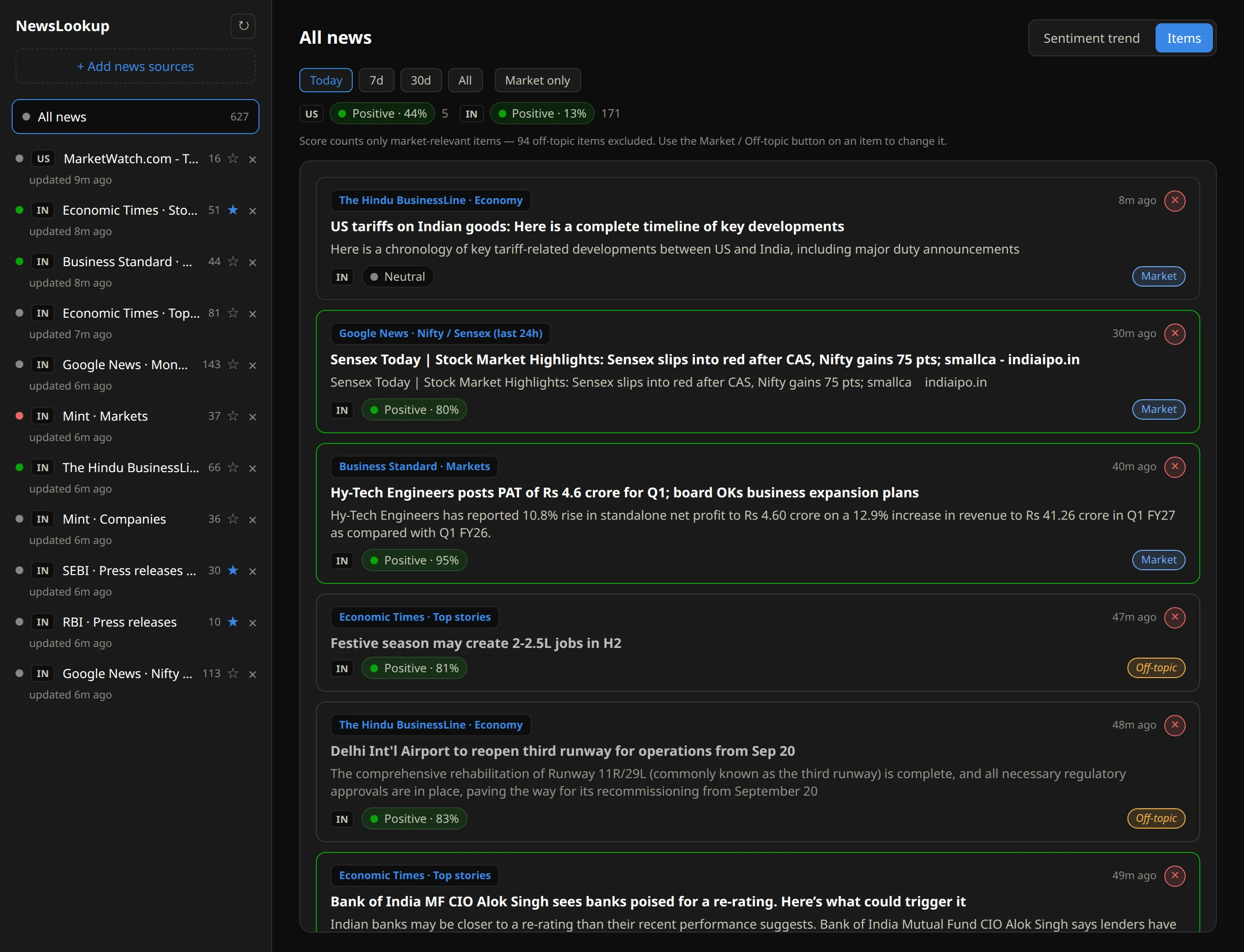
NewsLookup showing all news from many sources in one list, each headline tagged Positive, Negative or Neutral, with market and off-topic labels and a source list on the left
11sources followed
270headlines published by 4 pm
94of them weren't market news

One real day in NewsLookup, 19 Sept 2026, Indian and US market sources.

The trader's problem

By the time you've read it, the move is over.

Markets react to news in minutes. But the news is scattered across business portals, exchange and regulator notices, and a flood of general stories. Nobody can read all of it — so something important always slips past.

Too many places to look

Economic Times, Moneycontrol, Mint, Business Standard, SEBI and RBI notices — every tab is another chance to miss a story.

Too much noise

Personal-finance columns, festival features and lifestyle stories sit between the headlines that actually matter.

Too little time

You need to know in seconds whether the news is turning bullish or bearish — not after reading two hundred articles.

One screen

Every source in one live feed, every headline already scored.

NewsLookup collects all the sources you follow into a single newest-first list. Each headline carries its own mood badge and a confidence percentage, and strong stories get a green or red edge — so a quick scroll tells you what deserves your attention.

  • Positive · 95% Negative · 97% on every headline, with the source and how long ago it landed.
  • Ready-made catalog: Economic Times, Moneycontrol, Business Standard, Mint, The Hindu BusinessLine and Google News — plus SEBI and RBI notices straight from the regulators.
  • Any RSS or Atom feed can be added by URL and tagged by country.
  • Follow Indian and US markets together: the overall mood is shown separately for each country, so one market never hides the other.
  • Click a headline to open the full story in your browser.
NewsLookup — All news
NewsLookup in light theme: the all-news list with green and red highlighted headlines, mood badges with percentages, and separate US and IN sentiment summaries
Signal, not noise

It sets aside what isn't market news, so the score means something.

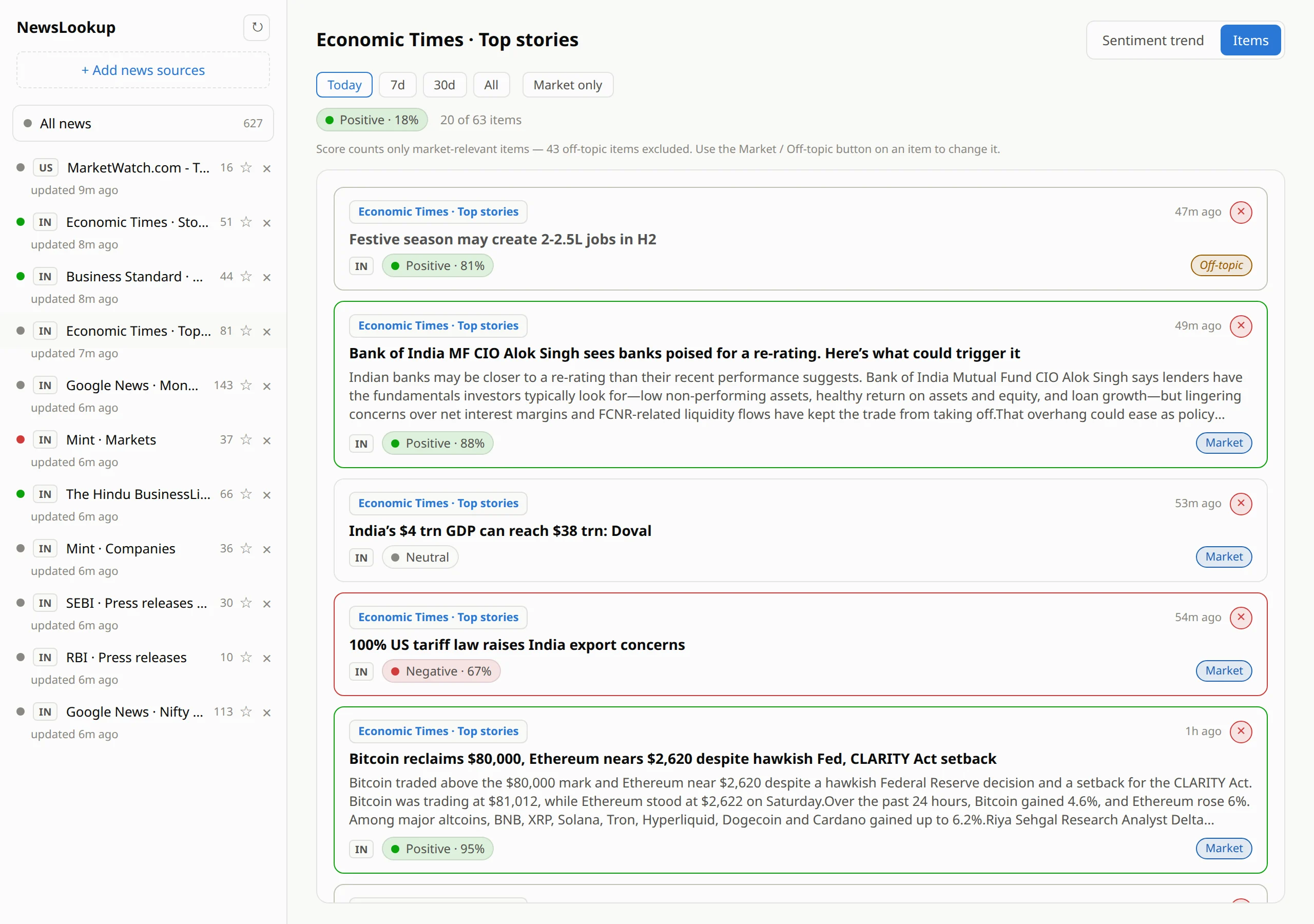
General news feeds are full of stories that have nothing to do with your trades. NewsLookup checks every headline and labels it Market or Off-topic. Off-topic items stay visible but dimmed, and they don't count toward the sentiment score.

  • Built for Indian and US markets: it recognises Sensex, Nifty, F&O, block deals, upper circuits, FII/DII flows, repo rate, IPOs, earnings, Fed and more.
  • Market sections and regulator feeds (SEBI, RBI) count in full — so a quarterly result or "Gold rises to a one-week high" always counts.
  • The screen says exactly what was left out: "43 off-topic items excluded."
  • Disagree with a label? One click flips it, and NewsLookup remembers your choice.
  • Flip on Market only to hide everything else in the list and the chart.
  • Delete a single junk story without unsubscribing from the whole feed.
NewsLookup — Economic Times · Top stories
A general news feed where a festive-season jobs story is tagged Off-topic and greyed, while market stories are tagged Market, and a note says 43 off-topic items were excluded from the score
Spot the turn

See when the mood shifts — and which headline caused it.

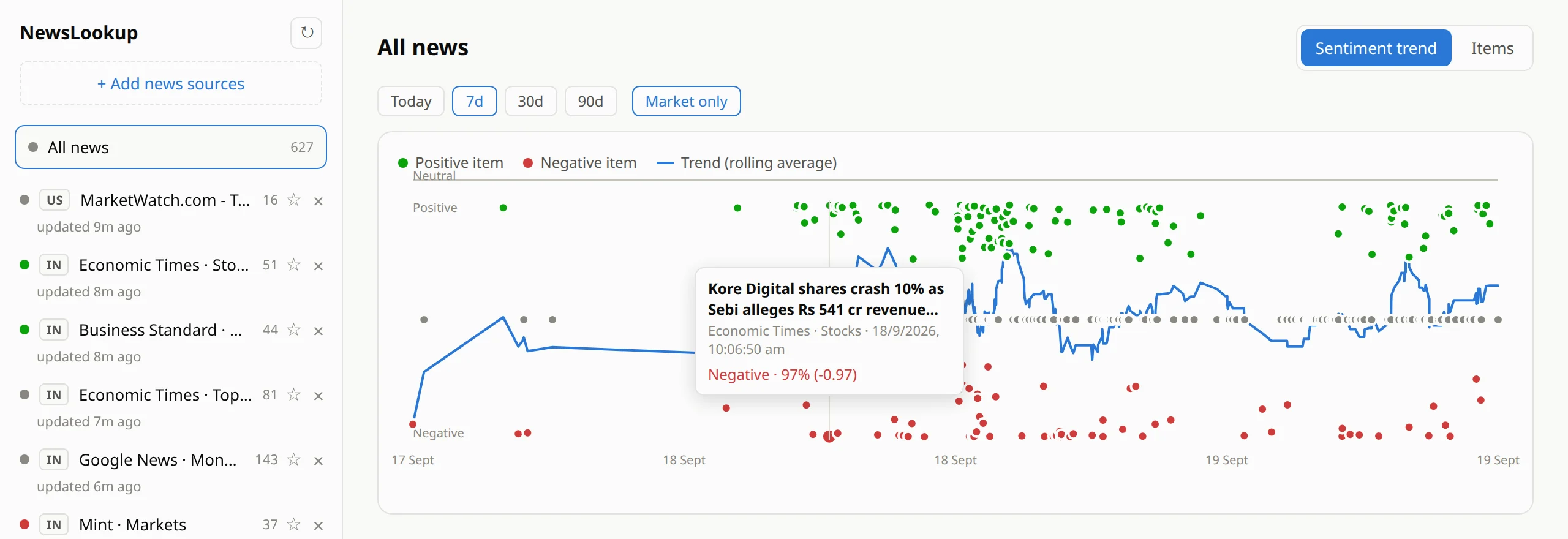
Every headline is a dot: green for positive, red for negative, grey for neutral. The blue line is the rolling average, so a run of bad news shows up as a slide you can see coming instead of a surprise. Hover any dot to read the story behind it.

NewsLookup — Sentiment trend · 7 days · Market only
Sentiment trend chart over seven days with green positive and red negative headline dots and a blue rolling average line; a tooltip shows a headline about Kore Digital shares crashing after a SEBI order, scored Negative 97 percent
  • Switch between Today, 7 days, 30 days and 90 days, for one source or all of them together.
  • The tooltip shows the headline, the source, the exact time and the score — here, the SEBI order against Kore Digital and the 10% share crash reported with it.
  • Combine with Market only to chart just the news that moves prices.
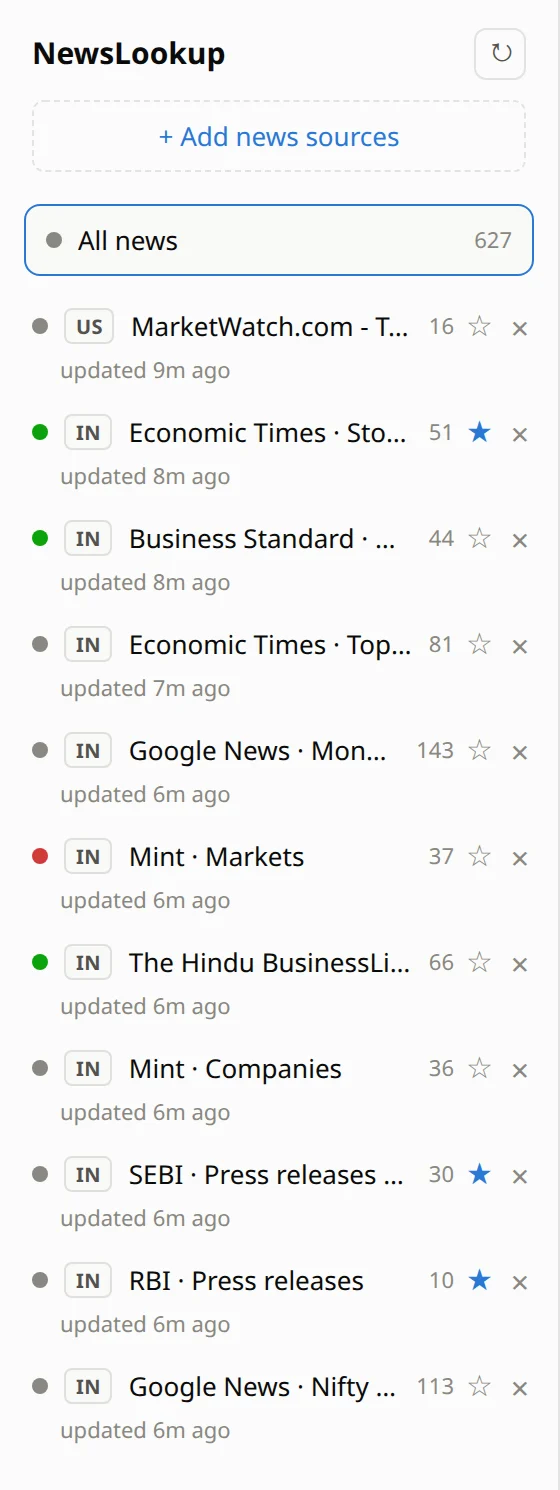
The source list showing a green, red or grey mood dot for each source, the number of headlines, and starred important sources such as SEBI, RBI and Economic Times Stocks
You decide what matters

Star the sources that count — they carry triple weight.

A busy feed can shout down a quiet one that matters more. NewsLookup blends your sources fairly: each source gets one vote, however many stories it publishes, and any source you star counts three times. Give the regulators and your best market desk more say, and the overall mood follows.

  • Every source has a mood dot — green, red or grey — so you see which way each one is leaning at a glance.
  • Star SEBI, RBI or your favourite desk and they pull the blended score harder.
  • A source that fails to load is flagged "fetch failed", so you know when you're not seeing the full picture.
  • Freshness is always visible: "updated 6m ago" under every source.
Built to stay out of your way

Always current. Always yours.

Refreshes itself

Every source is re-checked every 30 minutes in the background, or on demand with one click. Only new headlines are scored.

AI on your own PC

Scoring uses FinBERT, a model trained on financial text, running locally. No API keys, no per-headline fees.

History that stays

Every scored headline is saved on your computer, so the trend chart can look back weeks. Items you delete stay deleted.

Light & dark

Follows your system theme, so it's comfortable on a late-night screen next to your trading terminal.

Download

Get NewsLookup

Download the Windows installer. Setup takes a couple of minutes, mostly the one-time sentiment model download.

PlatformPackageApprox. size
Windows 10 / 11 (64-bit)Installer (.exe)12 MB Download

First time installing on Windows? You may see a blue “Windows protected your PC” screen, because the installer isn't code-signed. Click More info, then Run anyway.

Verify your download — SHA-256: d36d2fb2d514a329cdcc4708b9b0d4db391e9028028ca24bebf0b362e412e01d

To check the file you downloaded, open Command Prompt or PowerShell in your Downloads folder and run certutil -hashfile NewsLookup-amd64-installer.exe SHA256. The result should match the value above.

System requirements

  • Windows: Windows 10 or 11, 64-bit, with the Microsoft WebView2 runtime (already included in current Windows updates).
  • Disk space: about 150 MB free — the app plus the one-time sentiment model download (about 110 MB).
  • Internet: needed on first run to download the model, and to fetch fresh headlines from your sources.

Up and running in four steps

  1. Install NewsLookup.
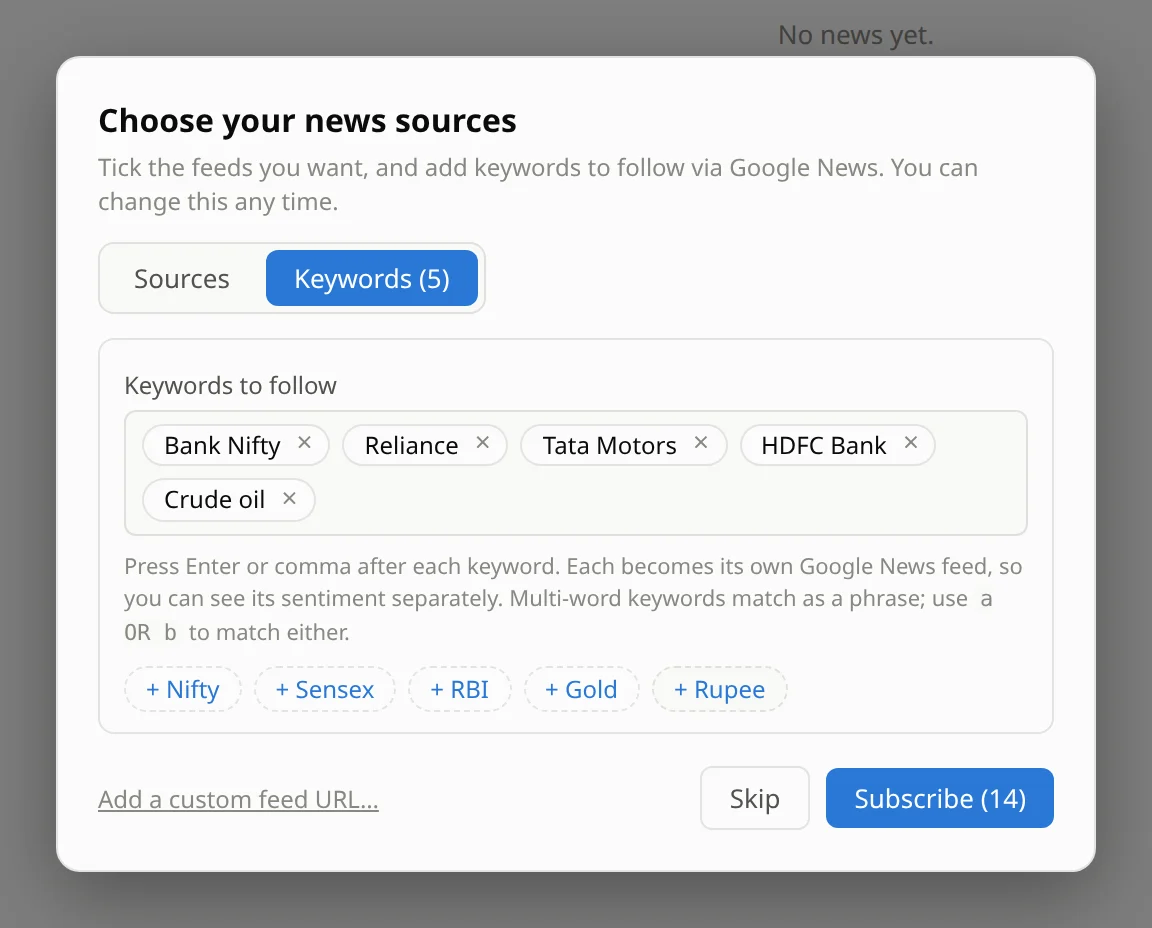
  2. On first launch, tick your news sources and add keywords for the stocks you follow.
  3. Let the sentiment model finish its one-time download.
  4. Watch your headlines fill in, scored and sorted — then keep it open beside your trading screen.

Stop scrolling five tabs. Start reading the news that matters.

One feed. Every headline scored. Nothing sent to a cloud AI.

Download for Windows

NewsLookup is an information tool, not investment advice. Sentiment scores are a model's reading of headline tone and can misjudge an individual headline — use them to decide what to read first, and rely on the overall trend rather than any single badge. Screenshots show real headlines scored by the app on 19 Sept 2026.